
Analysis and real experience
Mi experiencia trabajando con agentes y modelos de IA en un Mac mini
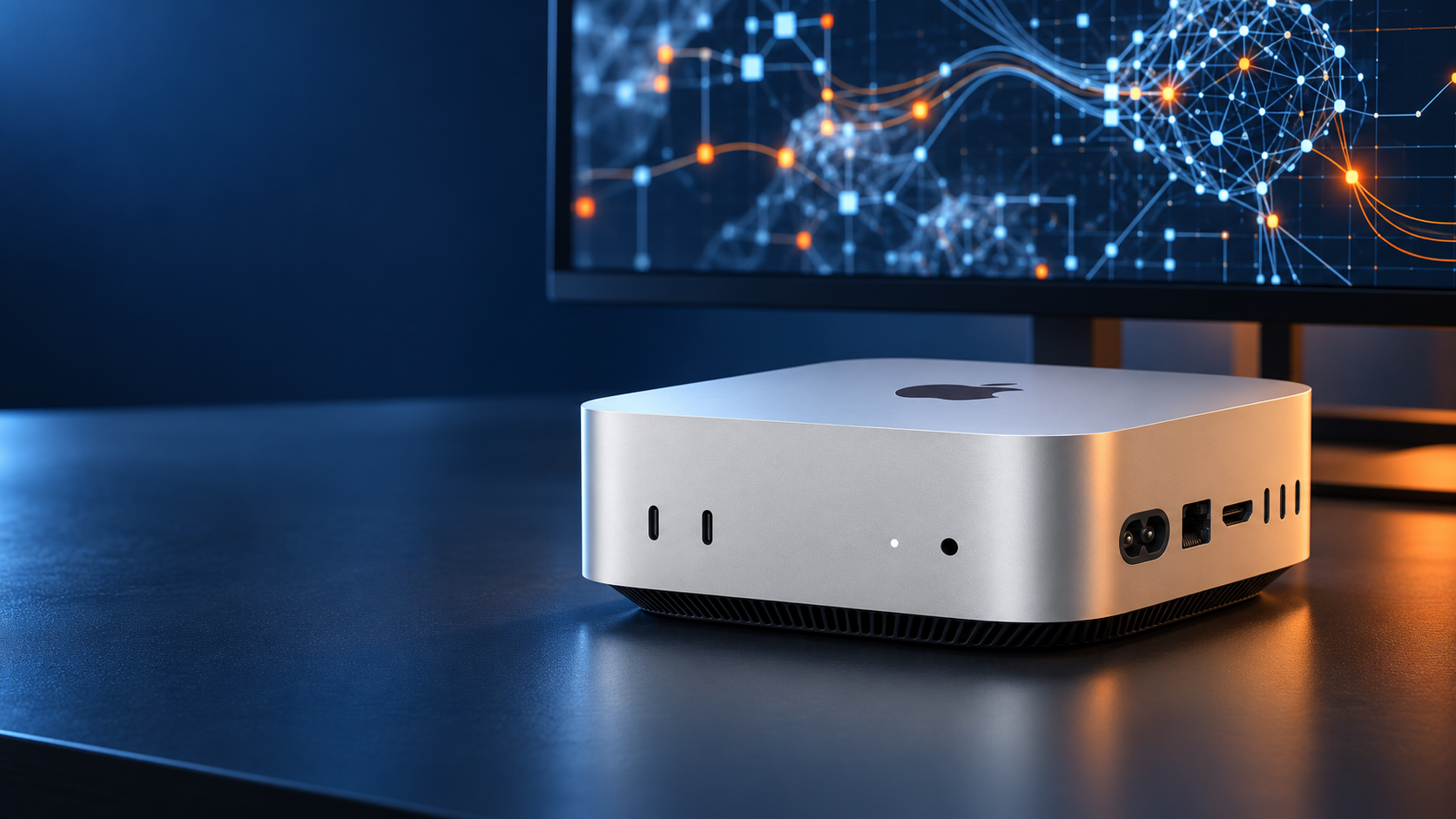
The Mac mini M6 with 24 GB of unified memory isn’t just a small, fast computer. It can also become a workstation for developing applications, using coding agents and running certain artificial intelligence processes locally.
I had already worked with a 16 GB Mac mini and was surprised at how well it handled AI tools and agents. However, when you keep the development environment, several browser windows, databases, local servers and different processes open at the same time, memory starts to make the difference.
That is why I think the 24 GB unified memory configuration is one of the most balanced for anyone who wants to work seriously with artificial intelligence without buying a much more expensive professional workstation.
Main specifications of the Mac mini M6
| Feature | Configuration |
|---|---|
| Processor | Apple M6 |
| CPU | 12 cores |
| GPU | 12 cores with Neural Accelerators |
| Memory | 24 GB unified memory |
| Neural Engine | Dual 16-core |
| Bandwidth | Up to 170 GB/s |
| Rear ports | 3 Thunderbolt 4, HDMI and Ethernet |
| Front ports | 2 USB-C and headphone jack |
| Wireless connectivity | Wi-Fi 7 and Bluetooth 6 |
| Operating system | macOS 27 |
Important: check on Amazon that the selected variant really includes 24 GB of unified memory and the storage you need. The memory cannot be upgraded after you buy the computer.
Why choose 24 GB for working with artificial intelligence?
For browsing, using office apps and doing conventional tasks, 16 GB can still be enough. Things change when the computer becomes a development and automation tool.
A working environment with artificial intelligence may keep open at the same time:
- An IDE such as Visual Studio Code or Cursor.
- One or more coding agents.
- Several terminals.
- Development servers.
- Local databases.
- Docker containers.
- Technical documentation.
- Several browser windows.
- Communication and management apps.
- An AI model running locally.
In these scenarios, having 24 GB gives you much more comfortable headroom.
On Apple Silicon machines, the CPU, GPU and specialised engines share the same memory. This lets artificial intelligence models access it without depending on a graphics card with separate memory.
The advantage isn’t only opening apps quickly. What matters is being able to keep a complete environment running without constantly closing tools to free up resources.
Running local AI to cut API costs
One of the most interesting uses of the Mac mini M6 is running certain models directly on the computer with tools such as LM Studio, Ollama or other apps compatible with Apple Silicon.
These local models can handle internal tasks such as:
- Classifying documents.
- Extracting information from text.
- Summarising content.
- Generating drafts.
- Tagging records.
- Analysing files.
- Organising business information.
- Creating internal assistants.
- Processing information that shouldn’t be sent to external services.
- Testing models before integrating them into an app.
When a company carries out hundreds or thousands of repetitive operations, always using an advanced API can be costly. If part of that work can be handled by a smaller local model, the savings can be considerable.
The saving isn’t about running absolutely everything locally, but about not paying for an advanced API for tasks a small model can handle correctly.
The most useful strategy is usually hybrid:
- Use local AI for frequent, private or relatively simple processes.
- Keep the most advanced APIs for tasks that need more reasoning capability.
- Define rules for deciding which kind of work each model handles.
- Measure cost and result quality before automating at scale.
The Mac mini doesn’t completely remove the need for external services, but it can significantly reduce the number of requests sent to an API.
Which local models can you run with 24 GB?
24 GB let you work with local models that are useful for programming, classification, text generation and internal automation.
However, they don’t turn the machine into a server that can run any available model without limits. Part of the memory must also stay free for macOS and other apps.
Real performance will depend on several factors:
- The size of the model.
- Its level of quantisation.
- The context length.
- The apps open at the same time.
- The speed the process needs.
- The complexity of the task.
For experimenting, building tools and running small or medium models, 24 GB is a very interesting starting point. For considerably larger models or very demanding local processes, it would be better to consider 32 GB or a higher configuration.
A workstation for AI agents
The Mac mini M6 can also be used as a computer dedicated to processes that need to stay active for many hours.
For example, it can run:
- Business automations.
- Local services.
- Scheduled document processing.
- Supervised agents.
- Integrations between tools.
- Development databases.
- Test environments.
- Internal classification systems.
- Content generation workflows.
- Web apps in development.
Its compact size and efficiency let you keep it on a desk without taking up the space of a traditional tower.
This can be especially useful for a small company that wants a machine dedicated to running internal processes without using an employee’s personal computer.
Even so, leaving an agent running continuously doesn’t mean giving it unlimited access.
A system like this should include:
- Restricted permissions.
- Limits on the actions allowed.
- Activity logs.
- Usage monitoring.
- Backups.
- Human review.
- Ways to stop the process.
- Separation between test and production environments.
The power of the machine doesn’t replace a secure setup.
Developing applications with Codex, Claude and other agents
For software development, 24 GB provide enough room to keep a fairly complete working environment.
You can work with:
- Visual Studio Code.
- Cursor.
- Xcode.
- Codex.
- Claude.
- Agents built into the IDE.
- Development servers.
- Docker.
- Local databases.
- Large repositories.
- Design and documentation tools.
In this kind of work, the value of the computer doesn’t depend only on how long it takes to build an app. It also matters that it can keep all the tools open while one or more agents review files, run tests or prepare changes.
The extra memory makes it more comfortable to work when the agent needs to analyse a large part of the project while the local environment keeps several services running.
It is worth clarifying that tools such as Codex or Claude normally use external services, subscriptions or APIs. The Mac mini provides the environment where the project is developed and the auxiliary tools run, but these agents don’t necessarily run completely locally.
The advantage of working within the Apple ecosystem
If you already use an iPhone, an iPad, AirPods or Apple services, the Mac mini is especially convenient.
The ecosystem lets you:
- Share files quickly with AirDrop.
- Copy content between devices.
- Sync documents through iCloud.
- Use the iPhone as a camera.
- Take calls and messages on the Mac.
- Continue tasks started on another device.
- Develop apps for iPhone, iPad and macOS.
It is also a particularly interesting option for anyone developing apps for Apple devices, because it gives direct access to Xcode, the simulators and the company’s official tools.
If you are already familiar with macOS, adapting will be almost immediate.
A small computer that needs accessories
Although the Mac mini takes up very little space, remember that it is sold as a desktop computer.
To use it you will need:
- A monitor.
- A keyboard.
- A mouse or trackpad.
- A webcam, if the monitor doesn’t have one.
- Speakers or headphones.
- Possibly a hub.
The machine has no USB-A ports or card reader, so some users will need a dock or adapters to connect older accessories.
It is also worth paying attention to storage. Projects, containers and local models can take up a lot of space. If the configuration includes a small internal drive, you may need to add a fast external SSD.
Advantages and limitations of the Mac mini M6 with 24 GB
What I like most
- High performance in a very compact format.
- Unified memory that is useful for working with AI.
- Ability to run local models.
- Handles several open processes well.
- Quiet and efficient operation.
- Integration with the Apple ecosystem.
- An excellent environment for developing apps.
- Can be used as an always-on machine.
- Modern connectivity.
- Easy to place on any desk.
What to consider
- It doesn’t include a monitor, keyboard or mouse.
- The memory can’t be upgraded later.
- Internal storage can make the configuration much more expensive.
- It has no USB-A ports.
- It has no card reader.
- 24 GB isn’t enough for every local model.
- Some AI tools still need a subscription or API.
- You may need to buy an external SSD or a dock.
Who do I recommend the Mac mini M6 with 24 GB for?
It can be a good buy for:
- Developers who use coding agents.
- Professionals who build automations with AI.
- Companies that want to process part of their information locally.
- Users who work with several apps at the same time.
- Creators who edit images, audio or video.
- People who already use Apple products.
- Teams that need a small machine for internal processes.
- Entrepreneurs who want to experiment with local models.
- Developers of apps for iOS and macOS.
I wouldn’t buy it just for browsing, answering emails and using office tools. There are cheaper configurations for those tasks.
Nor would I present it as a replacement for a workstation with a dedicated GPU and a large amount of memory for running huge models. Its strength lies in offering a compact, quiet and balanced environment for developing apps, coordinating agents and running reasonable local workloads.
Is the Mac mini M6 with 24 GB worth it for working with AI?
If you like the Apple ecosystem and are looking for a compact machine to program, automate processes and experiment seriously with AI, the 24 GB configuration is one of the most balanced options of this generation.
It can work as your main computer for developing with IDEs and agents such as Codex or Claude, but also as a machine dedicated to automations, internal services and local models.
Its real value appears when you adopt a hybrid strategy: run repetitive or private processes locally and turn to external services when you need a more advanced model.
Well organised, this approach can considerably reduce API usage without giving up the capabilities of the best models available in the cloud.
Check availability and configuration on Amazon
Affiliate notice: this article may contain affiliate links. If you buy through one of them, FEIDERS may receive a small commission at no extra cost to you.